
Recalls & ImportantSafety Updates
Stay informed about product recalls, safety alerts, and important updates affecting medical supplies. Your safety is our priority.
Safety Alerts & Recalls (6)
Functional Formularies Voluntary Recall – Liquid Hope & Nourish Peptide Berry Medley
Nutricia is voluntarily recalling Liquid Hope Peptide Berry Medley and Nourish Peptide Berry Medley out of an abundance of caution. Testing indicates that some lots of these products may not contain the intended levels of vitamin A. Because the vitamin A comes naturally from the fruits and vegetables in the recipe, levels can vary and may be lower than intended and below standard. There have been no reports of illness or injury. However, if someone relies on these products as their sole source of nutrition over long periods of time, there is a risk of not meeting typical vitamin A needs, which may present a potential health risk. No other Functional Formularies products are affected.
Affected Products:
- Liquid Hope Peptide Berry Medley, 24 x 12oz (Ordering Code 212505) – best-by up to and including March 15, 2028
- Liquid Hope Peptide Berry Medley, 12 x 12oz (Ordering Code 212509) – best-by up to and including October 7, 2027
- Nourish Peptide Berry Medley, 24 x 12oz (Ordering Code 212506) – best-by up to and including April 14, 2028
- Nourish Peptide Berry Medley, 12 x 12oz (Ordering Code 212512) – best-by up to and including February 19, 2028
Recommended Actions:
- If you have an affected product with a best-by date up to and including April 14, 2028, discontinue use
- Do NOT throw the product away – you may be eligible for a refund
- Check the best-by date on the back of the pouch (or the side of the case) against the impacted-lots list below
- Visit functionalformularies.com/notice or call Nutricia Customer Care at 1-855-805-4628 (Mon–Fri, 10am–6pm ET) for return and refund assistance
- If you have any health concerns, please discuss them with your healthcare provider
Complete List of Impacted Lots (Best By / Best If Used Before)
Liquid Hope Peptide Berry Medley 24 x 12oz
Liquid Hope Peptide Berry Medley 12 x 12oz
Nourish Peptide Berry Medley 24 x 12oz
Nourish Peptide Berry Medley 12 x 12oz
iLet Bionic Pancreas Software Issue - Urgent Medical Device Correction (Expansion/Update)
Beta Bionics, Inc. issued an Urgent Medical Device Recall notification for software issues affecting the iLet Bionic Pancreas Pump containing host software versions 1.4.3 and below. The purpose of this updated notification is to ensure all users, including those who haven’t recently accessed the iLet Mobile App, update their software to an unaffected version as soon as possible. A software upgrade was released to correct the issues described below, and it is recommended that you install the upgrade on your iLet Bionic Pancreas as soon as possible.
Affected Products:
- iLet Bionic Pancreas Pump – host software version 1.4.3
- iLet Bionic Pancreas Pump – host software version 1.4.2
- iLet Bionic Pancreas Pump – host software version 1.3.7
Recommended Actions:
- Check your iLet host software version
- Update to host software 1.4.4 or higher as soon as possible
- Complete the acknowledgement survey after updating
- Call Beta Bionics Customer Care at 1-855-745-3800 option 1 with any questions
Step-by-Step Update Guide
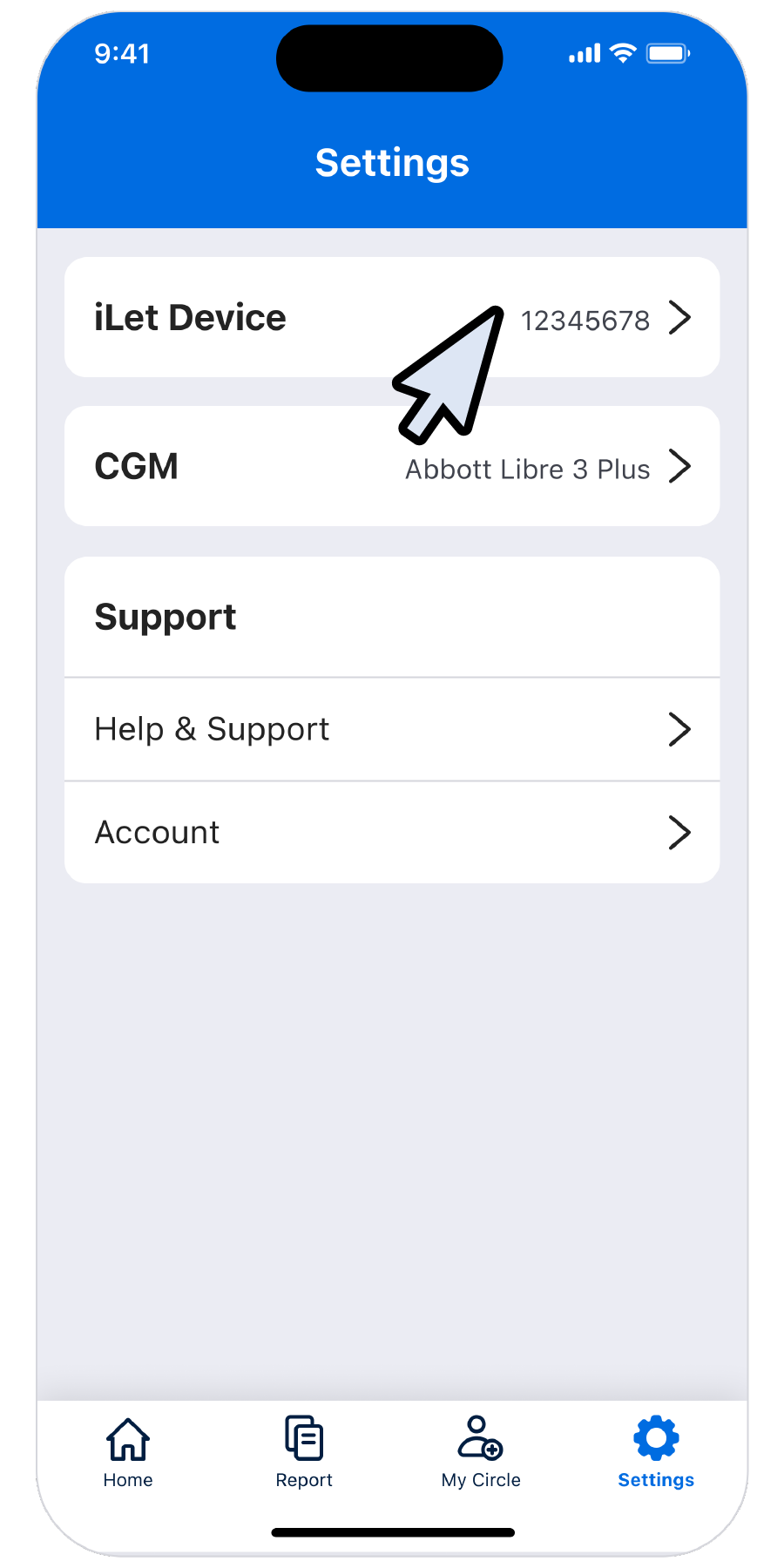
Open the iLet app and go to Settings. Tap iLet Device.
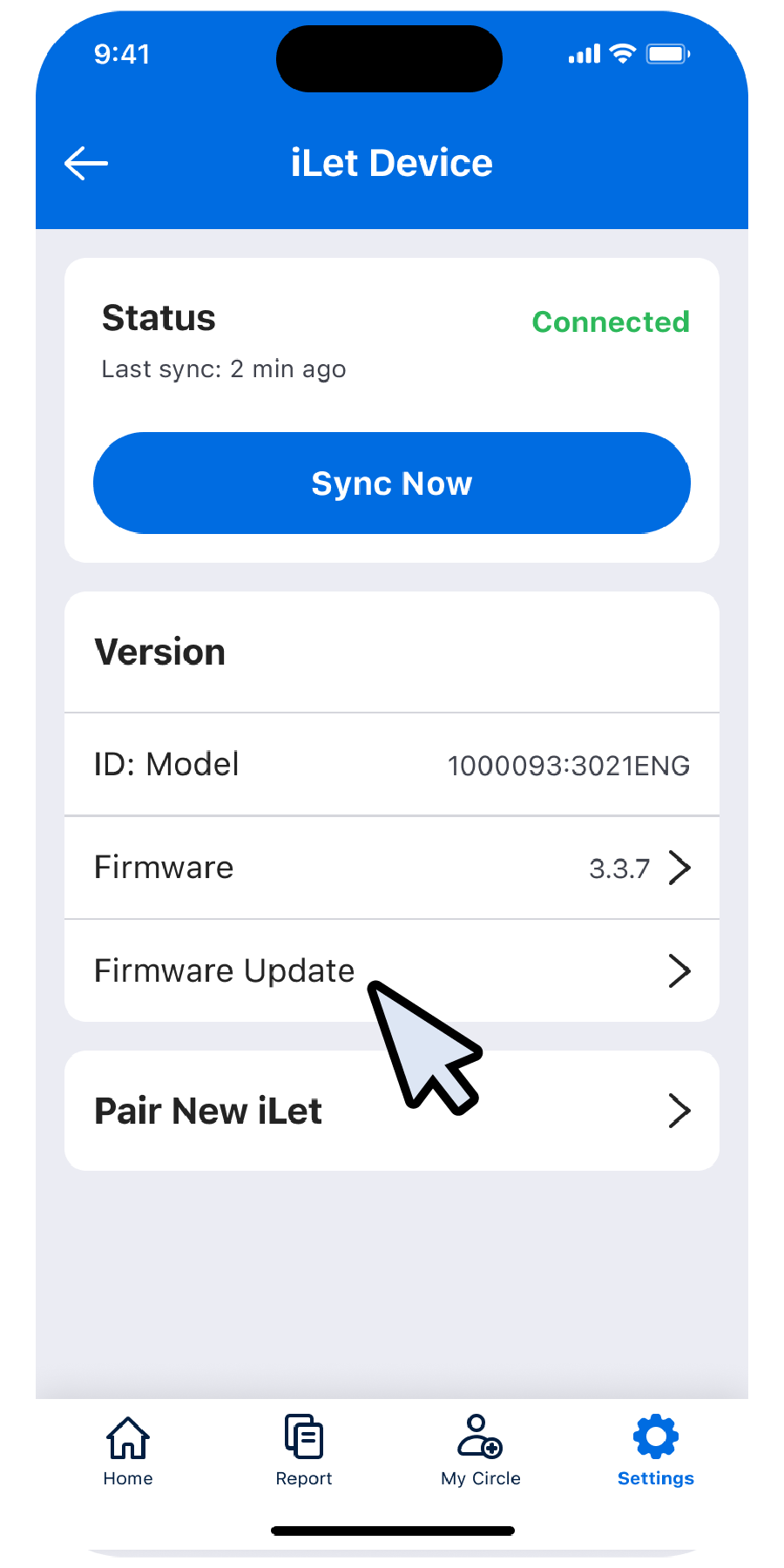
Tap Firmware Update.
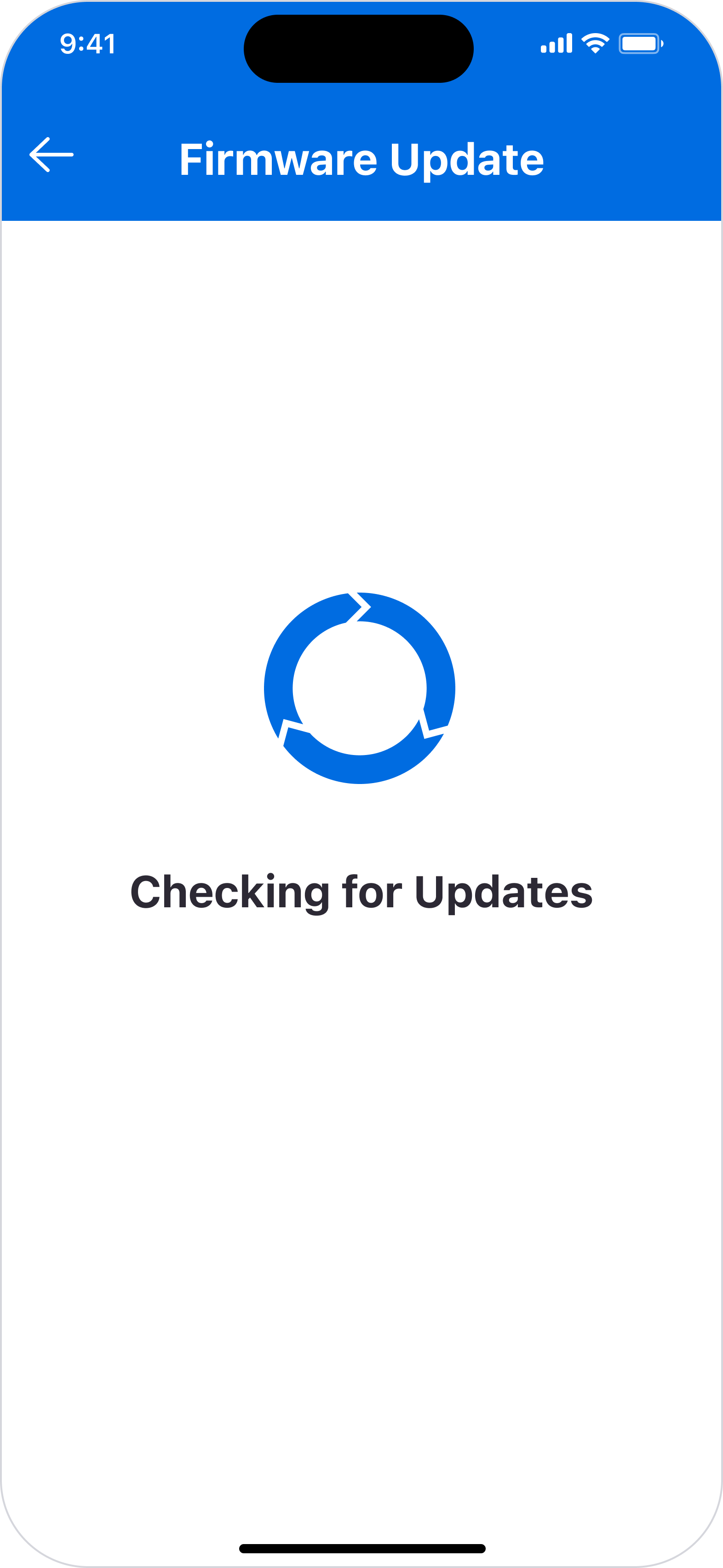
The app will check for available updates.
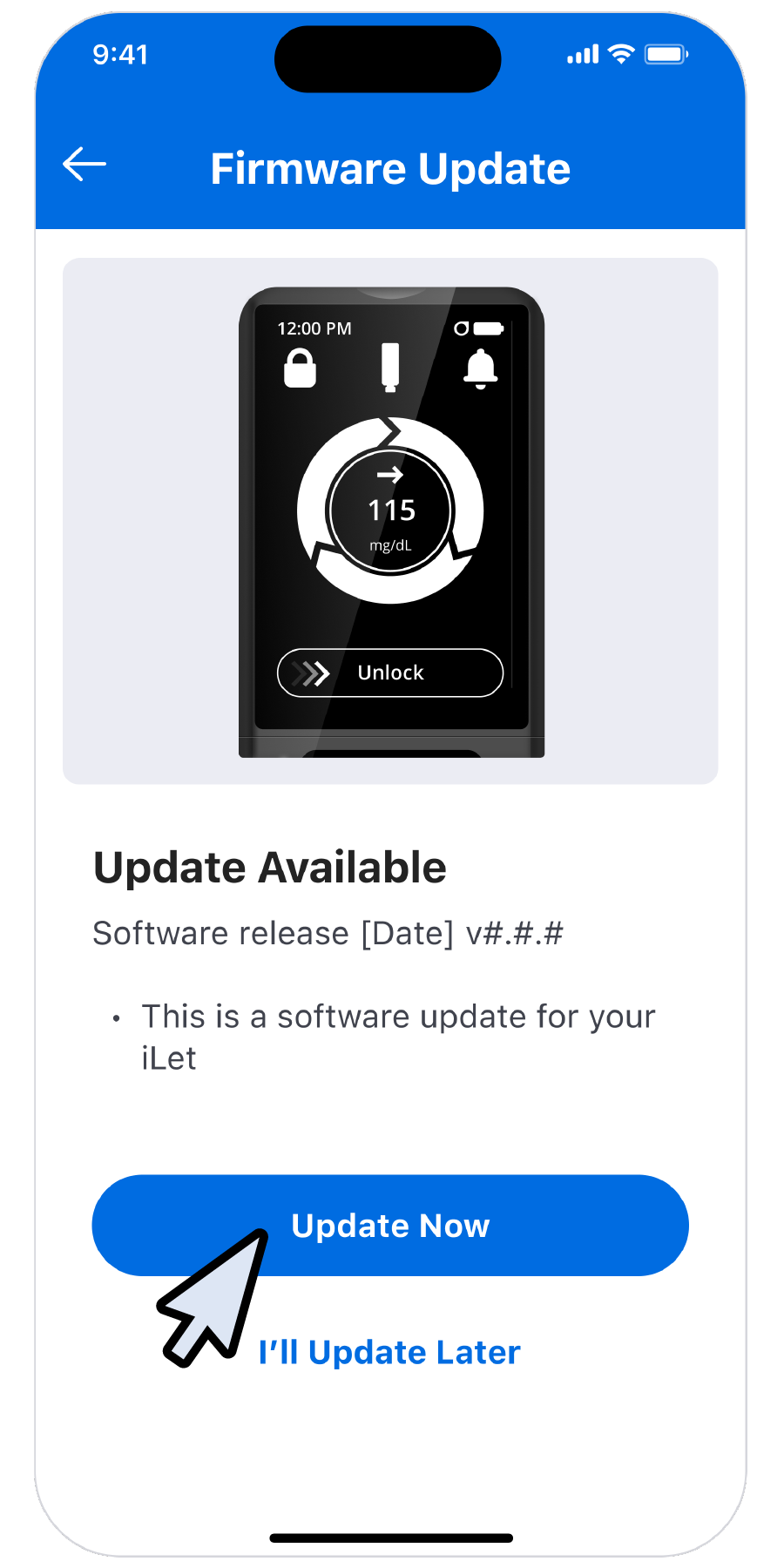
When an update is available, tap Update Now.
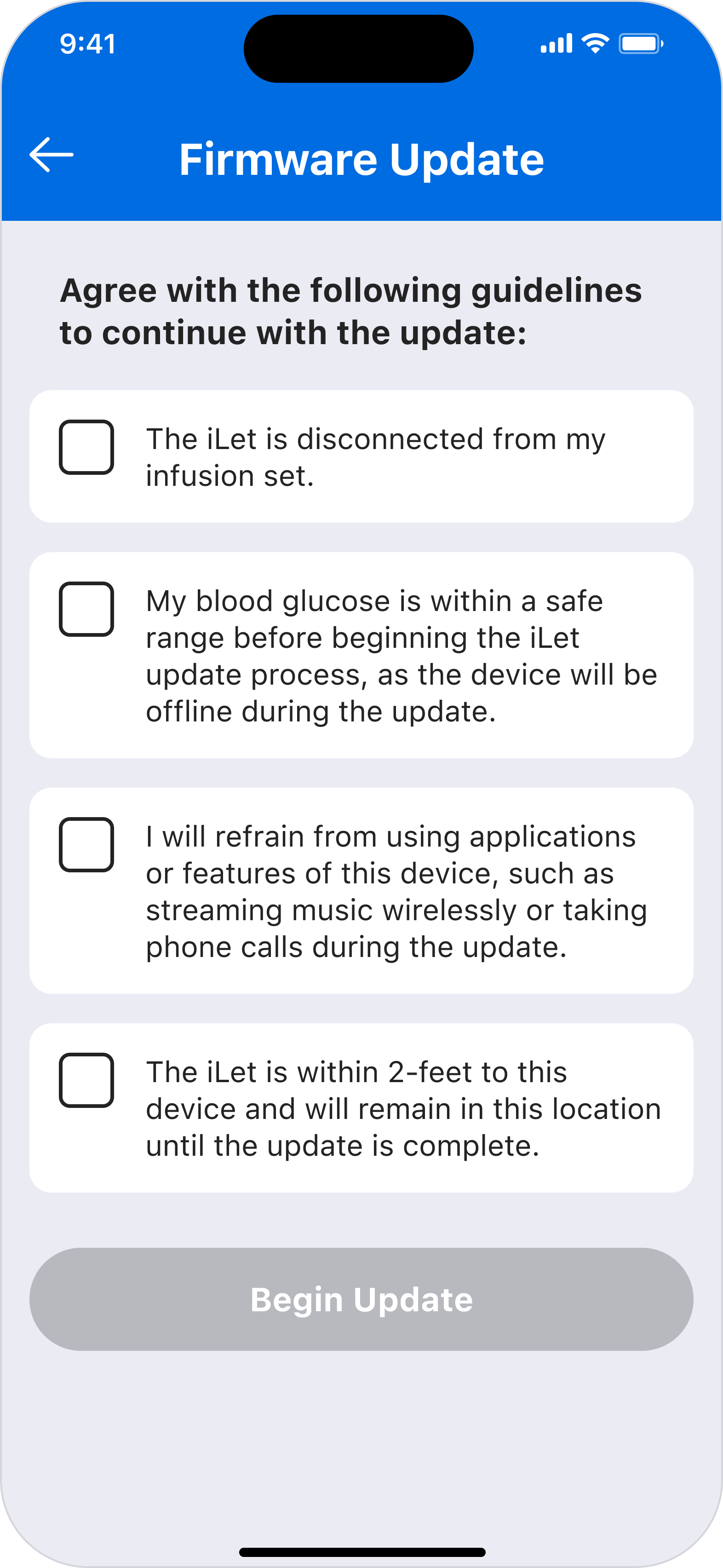
Review the guidelines required to continue with the update.
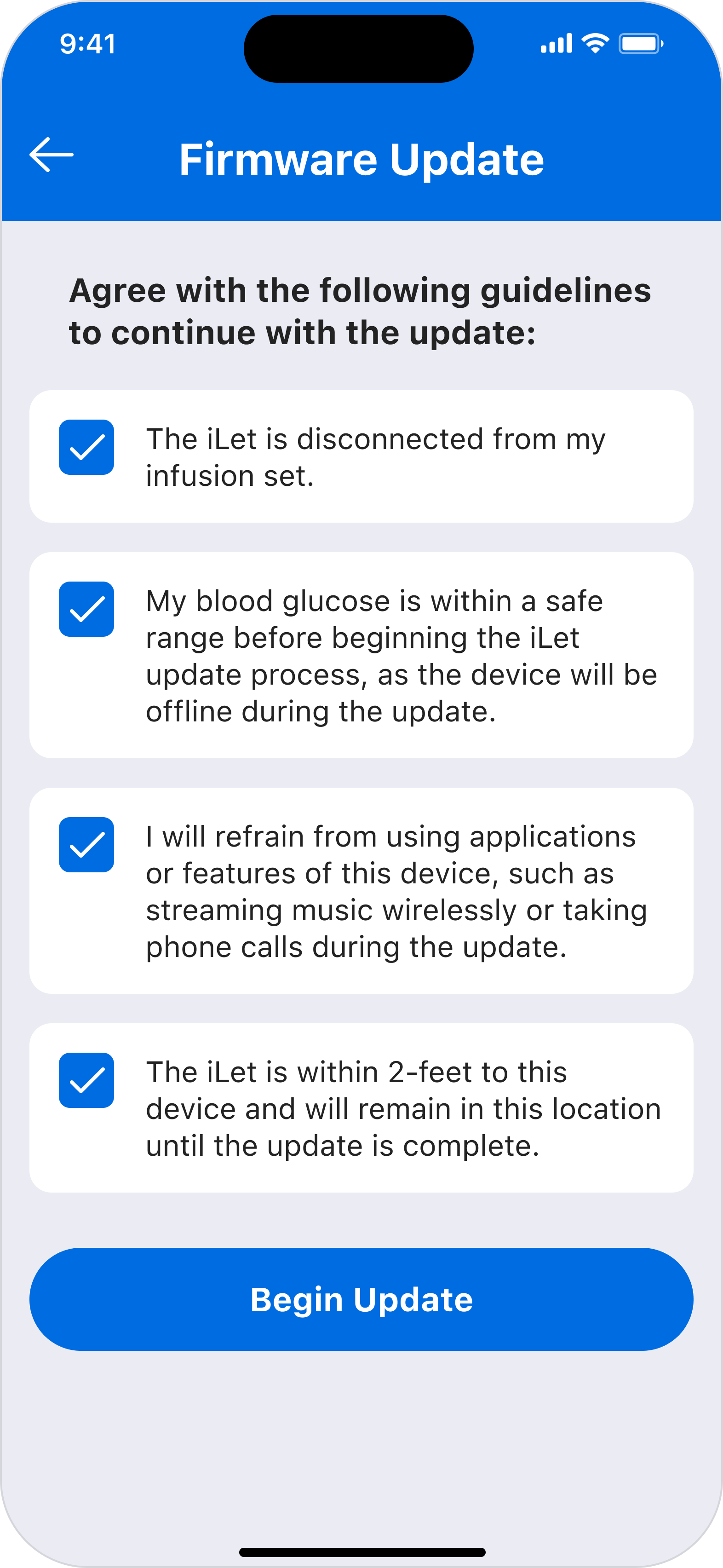
Check all boxes once ready, then tap Begin Update.
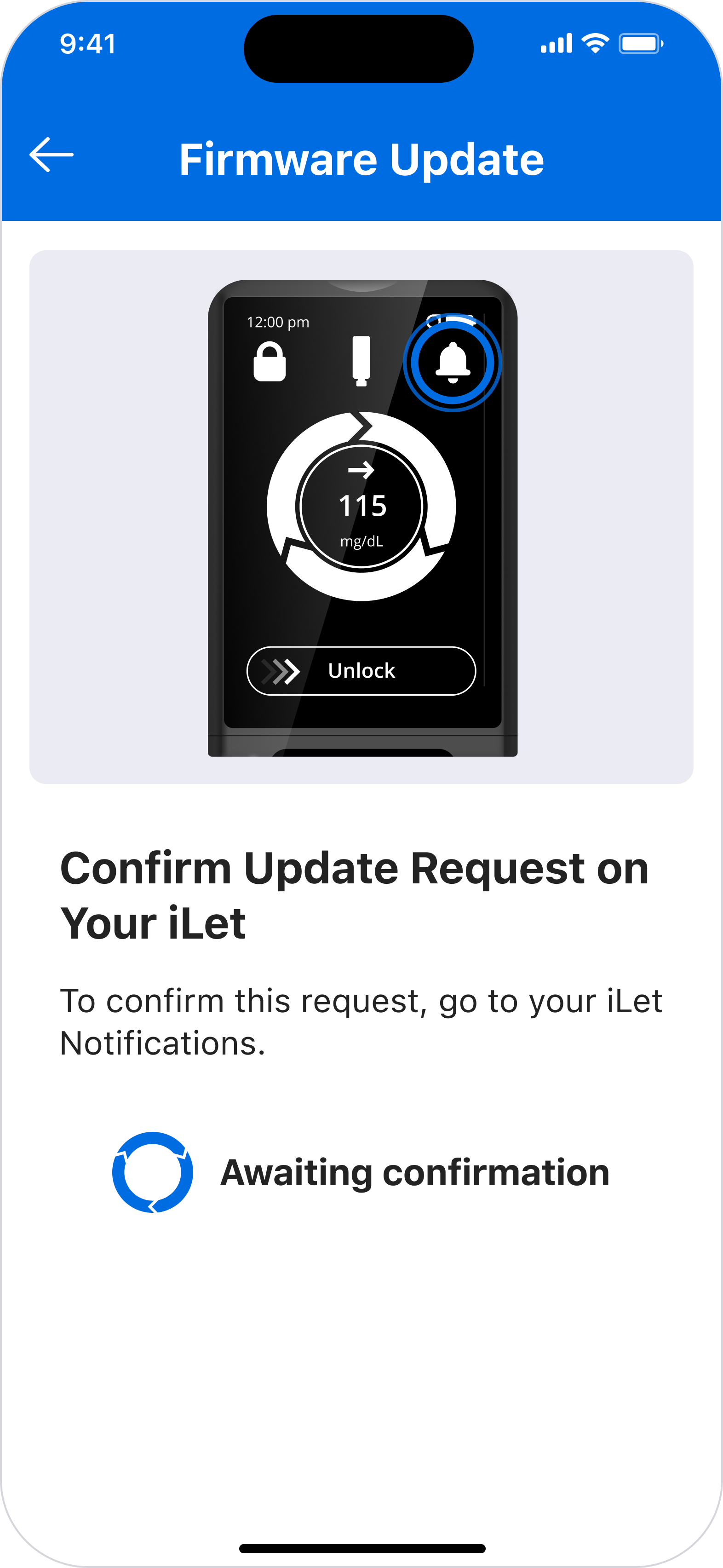
Confirm the update request on your iLet via Notifications.
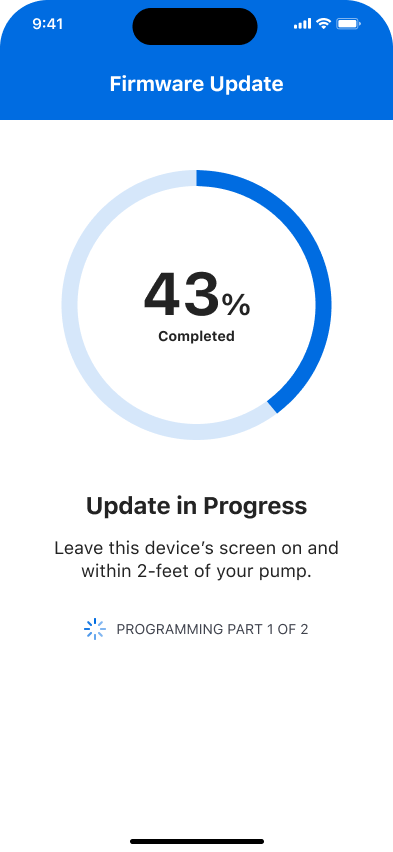
Keep the phone within 2 feet of the pump while the update is in progress.
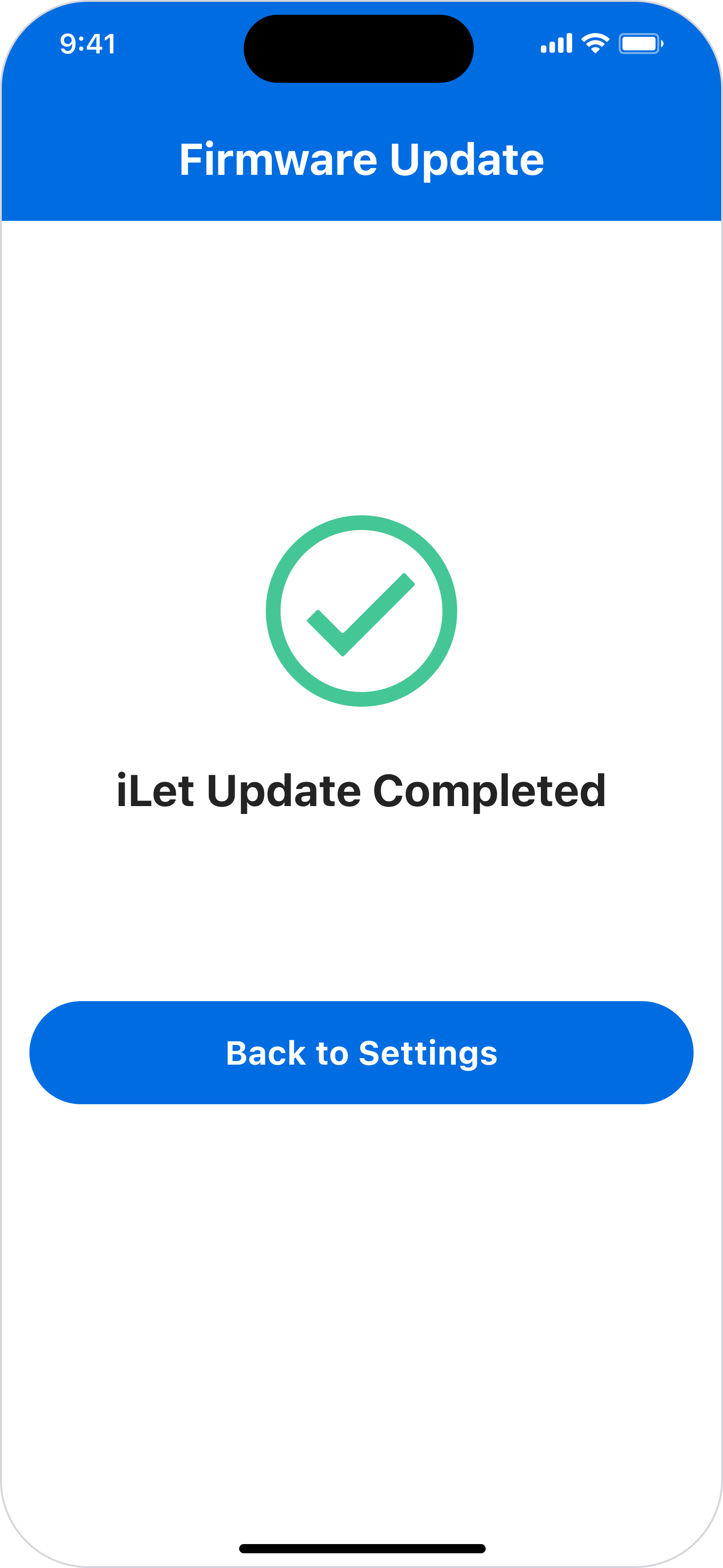
Your iLet update is complete. Tap Back to Settings.
Inset 1 Infusion Set for iLet Users - Transition Guide
These resources are to help you transition safely and confidently to using the Inset 1 infusion set with your iLet. There are both photo and video resources, depending on your preference. You can also review the Instructions for Use available in the infusion set box.
Important Focus Areas for Success
Avoid lifting the infusion set from the serter
- Be gentle when unwinding the tubing and removing the backing paper from the adhesive.
- Place tubing into the tubing notch after the serter spring has been pulled back for insertion.
- It's important to twist and then pull the blue needle guard from the introducer needle.
- Before inserting, be sure the soft cannula is below the tip of the introducer needle.
Removing the serter correctly
- Grasp the white center portion (not the larger outer round portion) and pull straight back.
- Do not roll the hand/wrist to either side.
If the set comes off the introducer needle
- Do not reset it.
- Use a new Inset 1 and call Customer Service for a replacement for the unusable set.
High glucose alert (>300 mg/dL for 90 minutes)
- This may indicate that the Inset 1 is not working well and needs to be changed.
- Take action if you receive this alert to be sure you are receiving insulin from the iLet.
- Follow your ketone action plan as needed.
You don't have to do it alone!
The One Source Medical Group Team is available Monday - Friday, 8am - 5pm EST.
1-833-776-8723DermaRite Industries Expands Voluntary Nationwide Recall Due to Potential Burkholderia cepacia Contamination
DermaRite Industries has expanded their voluntary nationwide recall affecting their product line due to potential bacterial contamination. Patients and healthcare providers should immediately stop using affected products.
Affected Products:
- DermaRite wound care products
- Various DermaRite skincare items
Recommended Actions:
- Stop using affected products immediately
- Contact your healthcare provider if you have concerns
- Return affected products to place of purchase
Dexcom: Urgent Medical Correction June 2025
URGENT: Dexcom G6 and G7 Receiver Safety Notice. Important information for users of Dexcom G6 and G7 receiver devices regarding potential display issues that may affect glucose readings.
Affected Products:
- Dexcom G6 Receiver
- Dexcom G7 Receiver
Recommended Actions:
- Review the safety notice from Dexcom
- Check your receiver for the affected lot numbers
- Contact Dexcom support if you have an affected device
Dexcom G6 Receiver Recall
Dexcom has identified an issue with certain G6 Receivers (Part Number: MT24078) that may cause safety concerns. Users with affected receivers should contact Dexcom for a replacement.
Affected Products:
- Dexcom G6 Receiver (Part Number: MT24078)
Recommended Actions:
- Check if your receiver has the affected part number
- Contact Dexcom at 1-888-738-3646 for a replacement
- Continue using your CGM system with your smartphone app if available
Other Updates
Important Update Regarding Your Dexcom Continuous Glucose Monitor (CGM)
Effective July 1, 2026, the manufacturer will discontinue the Dexcom G6 system. As a result, all patients currently using Dexcom G6 will automatically transition to the Dexcom G7 when they become eligible for their next reorder. NO ACTION REQUIRED — if we need any additional information from you, a member of our team will contact you directly. If you recently received a shipment of Dexcom G6 sensors, continue using them as directed; your next eligible reorder will automatically transition to the appropriate Dexcom G7 system.
Affected Products:
- Dexcom G6 CGM System (discontinued effective July 1, 2026)
- Dexcom G6 Sensors
- Dexcom G6 Receiver
Recommended Actions:
- No action is required — if additional information is needed, a member of our team will contact you directly
- Continue using any Dexcom G6 sensors you have on hand as directed
- Your next eligible reorder will automatically transition to the Dexcom G7 system
- Insulin pump users: the Dexcom G7 is compatible with pumps that support G7 integration — some pumps may require a software update, so follow your pump manufacturer’s guidance or speak with your healthcare provider
- You may not need a new receiver if you use a compatible smartphone — contact us if you have questions
- Questions? Contact One Source Customer Care at 1-866-834-7473 or inquiries@onesourcemg.com
Abbott Discontinuation of FreeStyle Libre 2 and FreeStyle Libre 3 Sensors
Abbott is discontinuing the FreeStyle Libre 2 and FreeStyle Libre 3 sensors as part of a product transition to newer technology. Patients should work with their healthcare providers to transition to the FreeStyle Libre 3 Plus.
Affected Products:
- FreeStyle Libre 2 Sensor
- FreeStyle Libre 3 Sensor
Recommended Actions:
- Contact your healthcare provider about transitioning
- Review FreeStyle Libre 3 Plus as a replacement option
- Contact One Source for assistance with the transition
Questions About a Recall?
Our team is here to help you understand how recalls may affect your supplies and assist with finding alternatives.